

Guide Property
How to read your evidence photos
Each visit photo from Plontiv carries its place, its times and a file fingerprint. This guide explains each detail and what the photo checks confirm.
2 minutes to readPublished official requirements and Plontiv's own usual times
- Usual time
- 5 to 10 working days
- Service fee
- USD 130
- Originals needed
- None
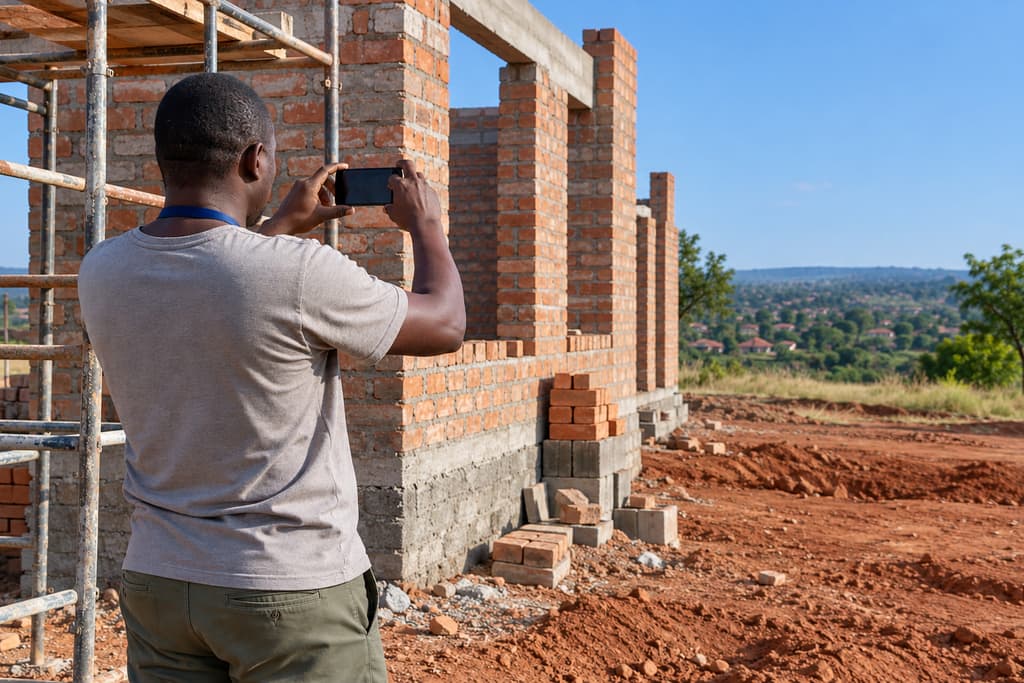
Photos from a property visit are part of the record of your order. Beside each photo, the app shows the details that let you check where and when it was taken, and that the file has not changed since our server received it.
The details beside each photo
A photo's details look like this example:
Taken at -17.82921, 31.05224 (within 6 m) · Device time 2026-09-03 09:42 · Received by Plontiv 2026-09-03 09:43 · File fingerprint 3f9a…c21b
Each part means:
- Taken at. The GPS location of the phone when the photo was taken, as latitude and longitude. Within 6 m is how accurate the phone reported that location to be.
- Device time. The time on the phone when the photo was taken.
- Received by Plontiv. The time our server received the photo, from the server's own clock.
- File fingerprint. A short form of a code calculated from the photo file. If anything in the file is changed after upload, its fingerprint no longer matches.
What the photo checks confirm
When a photo shows Photo checks passed: place, time, file unchanged, three checks agreed:
- Place. The GPS location falls at the property the visit was for.
- Time. The device time and the time our server received the photo are close together.
- File unchanged. The file's fingerprint matches the fingerprint recorded when it was received.
Reading photos across visits
For building visits and property watch, photos are grouped by visit, so you can compare the same view from one visit to the next. Changes since the previous visit are described with both visit dates.
What photos do not tell you
The report records what our team saw and the documents we collected, with dates, places and photos. It is not a structural or engineering inspection. It gives no view on what the property is worth, and no opinion on the property, the people there or any sale.
If you want advice on what a change means for you, a registered attorney can help.
This guide describes published requirements and how Plontiv works. It is not legal advice. For advice on the law, a registered attorney can help.
More guides
- How to check a stand before you payThe public records and site observations a check of a stand in Zimbabwe can cover before any money changes hands, and what a check cannot tell you.
- What a Zimbabwe police clearance needsThe documents, fingerprints and details an application for a Zimbabwe police clearance certificate needs, and what happens after it is lodged at ZRP/CID in Harare.
- What "fees paid to others" meansEvery Plontiv price has two parts, our fixed service fee and the fees paid to others at cost. This guide explains the difference, when each is charged and how receipts work.
- Why Zimbabwe uses legalisation, not an apostilleZimbabwe does not accept apostilles, so a document signed abroad for use in Zimbabwe goes through a chain of authentication steps. This guide explains the chain.
Orders happen in the app
Choose a service, upload photos or certified copies, see every fee and follow each step. The website shows services and prices only.
The Plontiv app is not in the app stores yet. Leave your email and we'll send you the link when it is.
Not ready to order?
Leave your email and we'll send you the steps and prices for the service you choose.